Overhauling the Neotoma site with developer release feedback
View markdownI overhauled the Neotoma site. The old single-page wall of text is now a visual presentation backed by documentation, tool-specific integration guides, and architecture deep dives: driven by what testers said and where they got stuck during the developer release.
Key takeaways
- About a dozen testers got Neotoma working but consistently got stuck on the same questions: "who is this for?", "how is this different from platform memory or Mem0?", "does it work with my tool?", and "should it replace or complement my existing memory?"
- The home page now leads with a memory guarantees comparison table across 12 properties and a before/after section showing concrete failure modes, directly addressing the "vitamin vs painkiller" critique.
- Six tool-specific integration guides and a new agent-led install process replace the old buried setup instructions. You paste a prompt into your AI tool and the agent walks you through setup interactively.
- Three upcoming changes respond to product gaps testers surfaced: agent-driven onboarding that reconstructs a timeline from your own files, markdown record export for developers who expect browsable files, and smoother remote access for ChatGPT and Claude.
- The core works. Testers confirmed it stores and retrieves correctly. The site and onboarding flow needed to catch up.
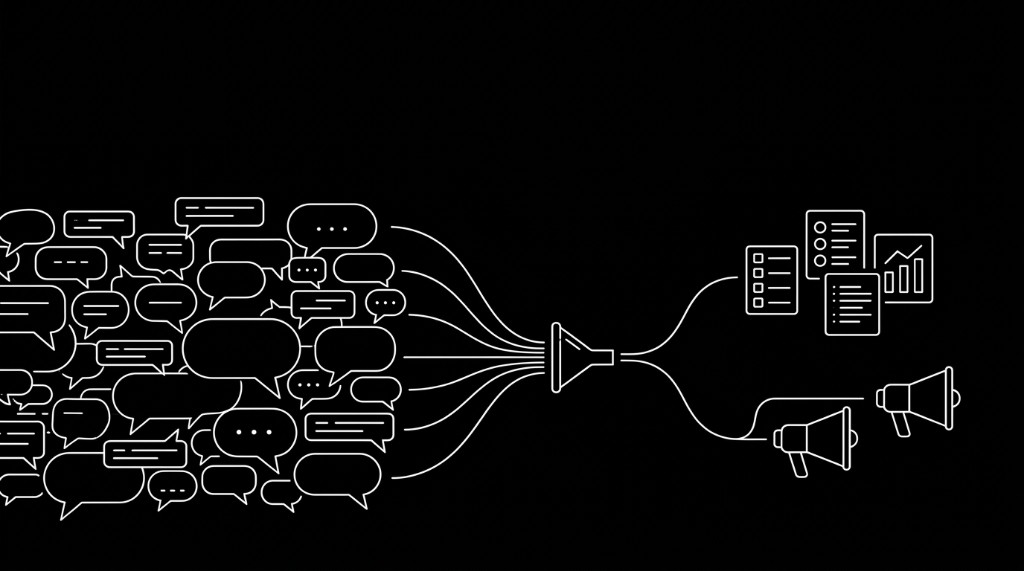
excerpt: "I overhauled the Neotoma site. The old single-page wall of text is now a visual presentation backed by documentation, tool-specific integration guides, and architecture deep dives—driven by what testers said and where they got stuck during the developer release."
I overhauled the Neotoma site. The old single-page wall of text is now a visual presentation backed by full documentation, tool-specific integration guides, and architecture deep dives. Most of what changed traces back to something a tester said or got stuck on during the developer release.
What the feedback told me
Since announcing the developer release, I've collected feedback from about a dozen testers across calls, chat, email and screen recordings. The sentiment has been encouraging. One person called it "a very relevant problem" and noted that "most people are rolling their own right now." Another said it sounds like a problem worth solving. Someone else was just pumped it was out into the wild.
But the most useful feedback was about where people got stuck:
"Who is this for and why would I use it?"
Multiple people asked this directly. The old site led with architecture and abstractions. Testers wanted acute, specific pain first. One compared it to selling a vitamin instead of a painkiller. Another asked point-blank: "Am I one of the people this is for?" The site needed to answer that question in the first few seconds.
The new use case pages for AI infrastructure engineers, builders of agentic systems, and AI-native individual operators, plus the memory models comparison, are the direct response.
"Is this meant to replace my existing memory, or live alongside it?"
A technical tester asked whether Neotoma should be the primary memory system or sit alongside things like Claude Code's auto-memory. Another asked how ingestion works: is it regex, AI evaluation, or the agent filling in tool parameters? The old site didn't address any of this. The architecture and mechanics were scattered across the README and repo docs.
The new memory models page and developer walkthrough address both questions.
"How do I set this up with my tool?"
One tester had Neotoma running with the CLI but asked "so it doesn't work with OpenClaw?" because the client listing on the site was unclear. Another hit a module-not-found error trying to start the API. A third spent an hour reading docs on a fresh VM and flagged a broken link in the documentation index plus unexpected macOS permission popups. Setup instructions were buried and varied by tool, and the site's install snippet lacked a direct link to what happens after init.
The new install page and integration guides for Cursor, Claude, Claude Code, ChatGPT, Codex, and OpenClaw address this.
The positive signal underneath all of this: several testers got Neotoma working and verified it stores and retrieves correctly. One confirmed it "stores stuff when I ask and can verify with the CLI." The core works. The site and onboarding didn't.
Home page
The home page now has nine distinct sections instead of one long scroll. The three that respond most directly to the feedback:
Memory guarantees table
The memory guarantees table is the answer to "how is this different?" A comparison of platform memory (Claude, ChatGPT), retrieval systems (Mem0, Zep, LangChain Memory), file-based approaches (Markdown, JSON stores), and Neotoma across 12 properties:
Each row links to a dedicated explanation page with before/after examples and CLI code. One tester had noted that "general storage with schemas is unsolved" and that popular schemas could be the answer. The guarantees table is my response: here are the specific properties, here's where each approach delivers, here's where it doesn't.
Before and after
The intro animation cycles the same question through two outcomes. Without Neotoma: "No contract found for Kline." With Neotoma: "Net-30, signed Oct 12, auto-renews Q1." Eleven scenarios rotate through, each showing a real failure mode at a glance.
Below the animation, four failure cards break the scenarios down by data type: financial facts, people and relationships, commitments and tasks, events and decisions. Each card has a concrete narrative — stale contacts going to the wrong person, forgotten deadlines triggering reminders against old tasks, conflicting records where two agents read different versions of the same contract and neither knew the other existed.
This was the direct response to the "vitamin vs painkiller" feedback. The old site led with architecture. This section leads with what breaks without deterministic state and what that costs you.
Who is it for
Three audience cards with custom illustrations: AI infrastructure engineers, builders of agentic systems, and AI-native individual operators. Each links to a dedicated page with failure modes, data types, and schema patterns specific to that audience. This is the direct answer to "am I one of the people this is for?"
Documentation
The old site had everything inline. Testers who wanted depth had to go to the repo. Now there are dedicated pages organized in a sidebar navigation.
Developer walkthrough
The developer walkthrough is a multi-session scenario that walks through the core loop: store an architectural decision in session 1, retrieve and act on it in session 2, handle a conflicting update in session 3, then audit the full observation trail. All using MCP (Model Context Protocol) store calls with real request/response examples. This addresses the ingestion question directly: the agent calls the MCP tool with structured parameters, Neotoma stores the observation. No hidden AI model calls, no regex extraction.
Memory models
The memory models page compares four approaches: platform memory, retrieval memory, file-based memory, and deterministic memory. This is where the "should Neotoma replace or complement my existing memory?" question gets answered. Each model has a dedicated sub-page explaining what it is, where it works, and where it breaks.
Foundations
Foundations covers privacy-first, deterministic, and cross-platform in depth. The privacy-first page responds to testers who were skeptical about feeding personal data into cloud AI tools. Neotoma runs on your machine. Your data stays local.
Architecture
The architecture page covers the state flow (source, observation, entity, entity snapshot), the layers, and how guarantees are enforced at each stage. This was one of the most requested additions.
Reference pages
Full REST API endpoint table, MCP actions catalog, and command-line reference. The API page includes per-endpoint descriptions and parameters. The MCP page lists all 24 actions. The CLI page covers all 38 commands.
Integration guides
Six tool-specific pages, each walking through setup from install to first store:
This is the direct answer to "does it work with X?" and "how do I set this up with my tool?" Every guide covers configuration, a first-run example, and what to expect. The ChatGPT page is the most detailed because the Custom GPT setup has the most steps. The OpenClaw page exists because a tester specifically asked whether it was supported and the old site was ambiguous.
Use cases
Three dedicated audience pages now highlight and explain who Neotoma is for, providing targeting guidance that the old home page lacked:
AI infrastructure engineers. Pain points like non-reproducible agent runs, invisible state changes, and no provenance trail. Common failure modes with specific icons. Data types these teams work with (session state, pipelines, evaluations, audit trails) and the entity types that come up most often (agent_session, action, pipeline, evaluation).
Builders of agentic systems. Similar structure focused on agent frameworks, multi-step workflows, and observability. Failure modes like silent state changes between sessions, workflows that can't be replayed, and context loss when one agent hands off to another.
AI-native individual operators. Focused on the daily experience of lost commitments, tool-to-tool context loss, and personal data in opaque provider memory. This is the page for the tester who asked "am I one of the people this is for?"
Agent-led install
This is new since the developer release announcement. Instead of reading docs and configuring manually, you copy a single prompt from the install page, paste it into your AI tool, and the agent handles the rest: installing the package, running init, configuring the MCP connection, and storing your first data.
The prompt is designed for Claude Code, Codex, Cursor, and OpenClaw. It tells the agent to install Neotoma with npm install -g neotoma, initialize it, and then link the matching integration guide for that tool. The agent scans your local context and platform memory, previews what it found, and stores only what you approve.
Each integration guide links to the install prompt so the onboarding path is the same regardless of which tool you start with. The goal is to get from zero to a working Neotoma setup with real data stored in under five minutes, without ever reading a configuration doc.
Language support
The site and all post content now auto-translate into 12 languages: Arabic, Bengali, Catalan, French, German, Hindi, Indonesian, Mandarin Chinese, Portuguese, Russian, Spanish, and Urdu. Each page includes a language switcher, and RTL layouts work for Arabic and Urdu.
This matters because the developer release has reached testers outside of English-speaking markets. Rather than gate the documentation behind a single language, every page — the home page, memory guarantees, integration guides, use case pages, and posts — is available in all 12 locales. The translations are auto-generated and may not be perfect, but they lower the barrier for anyone evaluating Neotoma in their primary language.
What's next
The site overhaul addresses the presentation and documentation gaps. The next round of work addresses the product gaps that testers surfaced.
-
Agent-driven onboarding. The current install flow gets you set up, but it's passive. You install, you init, you start storing. The next version will be a guided discovery experience where your agent scans your local files, proposes the highest-value candidates, and reconstructs a timeline from your own data within the first few minutes. The goal is a concrete moment where you see your scattered project files turned into a structured timeline with every event traced to a specific source. That's the moment the difference between Neotoma and a chat memory becomes obvious.
-
Markdown record export. Several developers, especially those coming from Claude Code, expect memory to be represented as markdown files they can browse and edit directly. Neotoma uses SQLite as its canonical store, which gives you deterministic queries and schema constraints but means you can't just open a file in your editor. I'm adding a command to export your records as markdown files on disk, organized by entity type, with frontmatter metadata and provenance. SQLite stays canonical. The markdown files are a read-friendly mirror for transparency and inspectability.
-
Smoother remote access for ChatGPT and Claude. The integration guides exist now, but the remote setup paths for ChatGPT (Custom GPT with API endpoint) and Claude (Desktop with remote MCP) need more of my own dogfooding and debugging before they're as smooth as the local paths for Cursor and Claude Code. I want to get both working reliably end-to-end and update the guides with clearer instructions and troubleshooting.
What I want feedback on
The developer release is still active. If you try installing Neotoma and working through the site, I want to know:
- Is the positioning clear? When you land on the home page, do you understand what Neotoma does and how it differs from what you already use?
- Does the memory guarantees table help you decide whether Neotoma is relevant to your workflow?
- Is the install and onboarding path clear? Can you get from the site to a working setup without hitting a wall?
- Are the integration guides accurate for your tool?
Visit neotoma.io, ask your agent to install with the copy-and-paste instructions, and share your feedback. Open an issue on GitHub or reach out directly.